

100% Money Back Guarantee
Lead2pass has an unprecedented 99.6% first time pass rate among our customers. We're confident of our products and provide  a no hassle money back guarantee. That's how confident we are!
- Incredible 99.6% Pass Rate
- 100% Success Guarantee
- 100% Money Back Guarantee
- Immediate Access to Download
- 150 Days Free Update
- 100% Valid Worlwide
- 100% Safe Shopping Experience
- 24x7 Customer Support
- Over 10 Years Experience
- 96348+ Satisfied Customers
Lead2pass is the world's largest certification preparation company with 99.6% Pass Rate History from 96348+ Satisfied Customers in 175 Countries.

Secure Shopping Experience

Your purchase with Lead2pass is safe and fast. Your products will be available for immediate download after your payment has been received.
The Lead2pass website is protected by 256-bit SSL from McAfee, the leader in online security.
Note: If PayPal is unavailable in your country, please contact us via live chat or email at [email protected] to arrange payment by credit card.
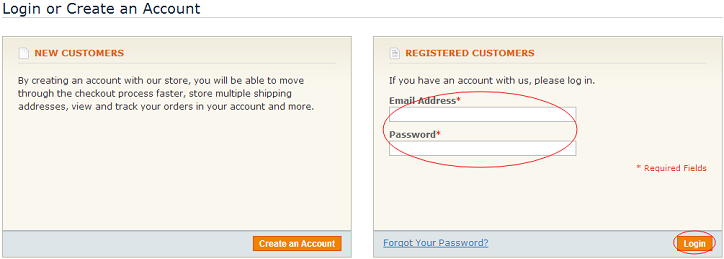
Step 1: Create an Account or Login
1. Click “Register” on the top right corner on our website, to become a formal member of our website.

2. If you have registered before and been our member, you can click "Sign in" directly. If not, you need to register first.
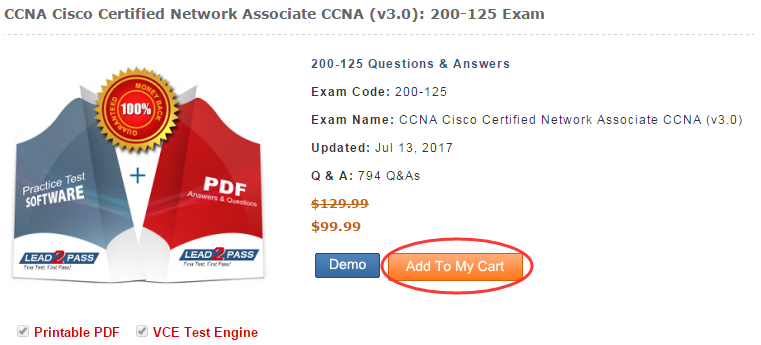
Step 2: Find the Exam and Add to Cart
Through “Search Box” or " All Products" to find the subject which you need, and then click the button "Add to My Cart" to add our product to the cart.
For Example: Enter 200-120 and click the button

Then click the link and go to product page.
Step 3: Proceed to Checkout
In this page, please confirm the exam name and code carefully. If you have the Discount Code you can use it directly and then click "Apply Coupon" button. At last, you should click the button "Proceed to Checkout" into the next page.
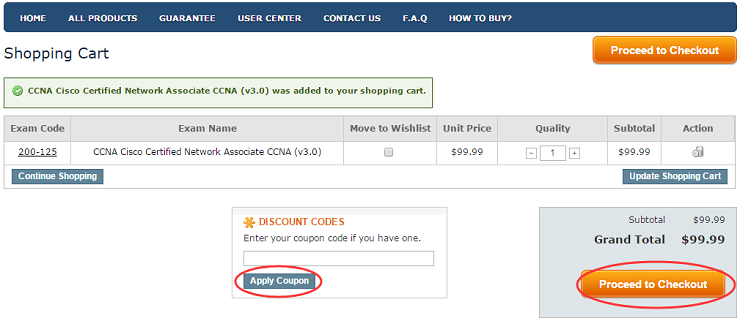
Step 4: Choose Payment Method and Place Order
In this page you can confirm your order information, payment method then click the button “PLACE ORDER” to pay directly.
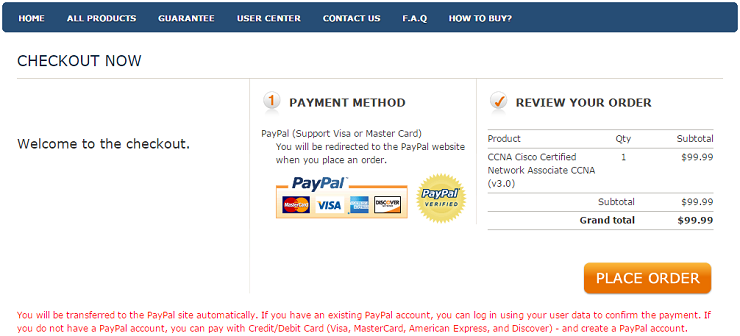
PayPal - Make secure payments through our site using most types of debit and credit card. The following cards are accepted at PayPal: Visa, Mastercard, American Express and Discover.
Step 5: Purchase the Order
1. If you have an existing PayPal account, you can log in using your user data to confirm the payment.
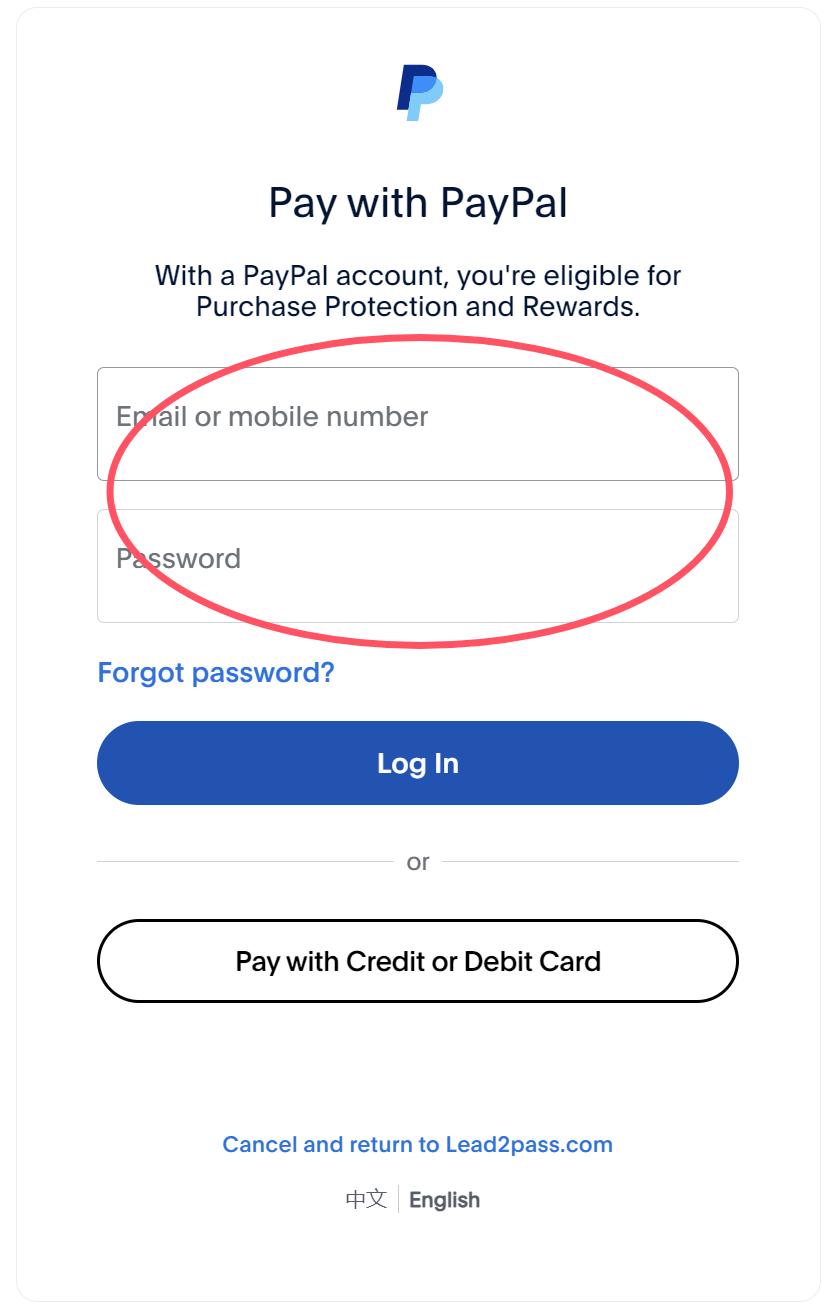
Note: Sometimes you'll visit a webpage that the encoding is in another language (Chinese, Spanish, French, etc.). Depending on your internet preferences, that webpage will leave a cookie with the language. You can choose the “English” language from the bottom of this webpage.
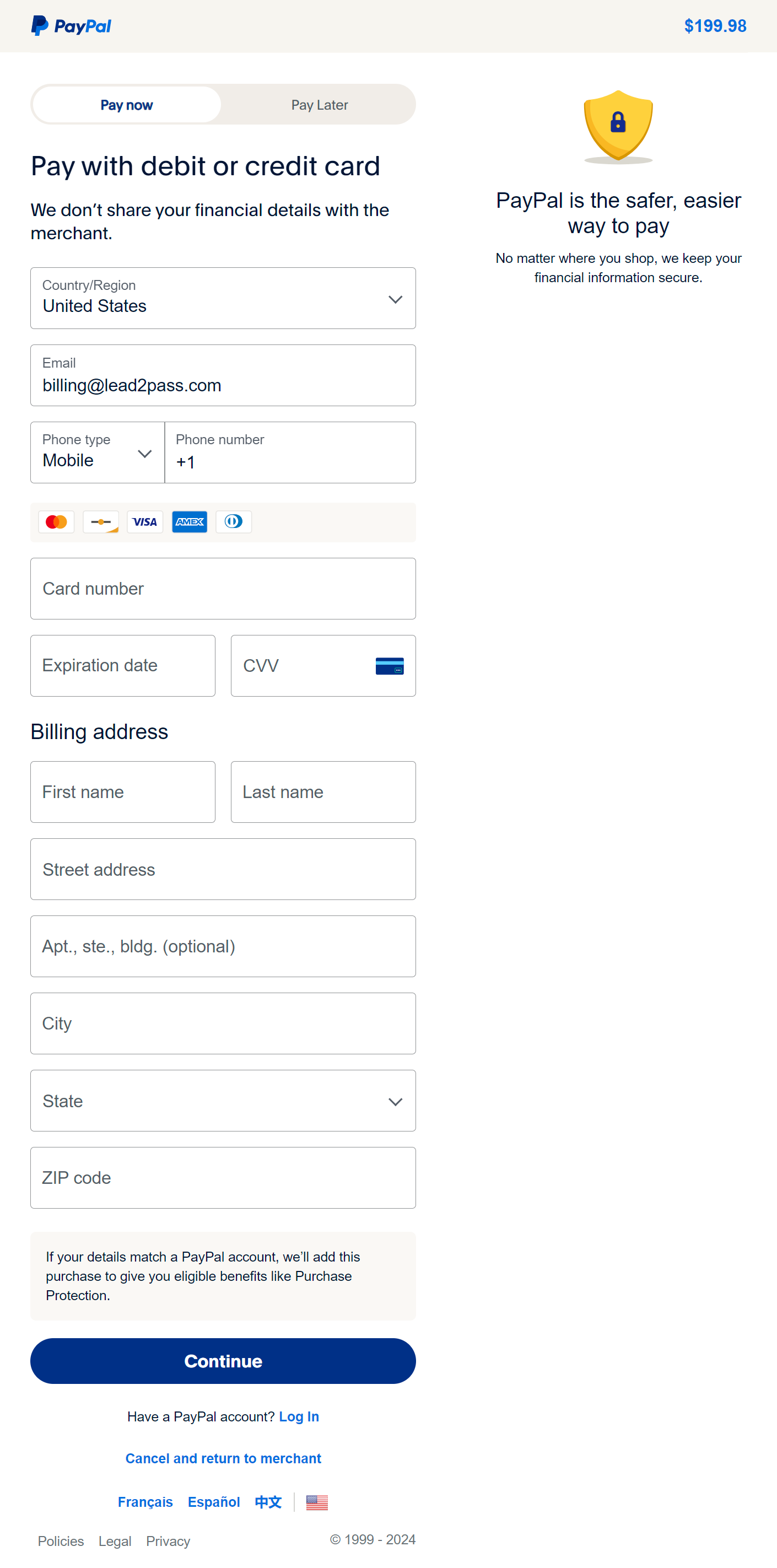
2. If you do not have a PayPal account, you can pay with Credit/Debit Card (Visa, MasterCard, American Express, and Discover).
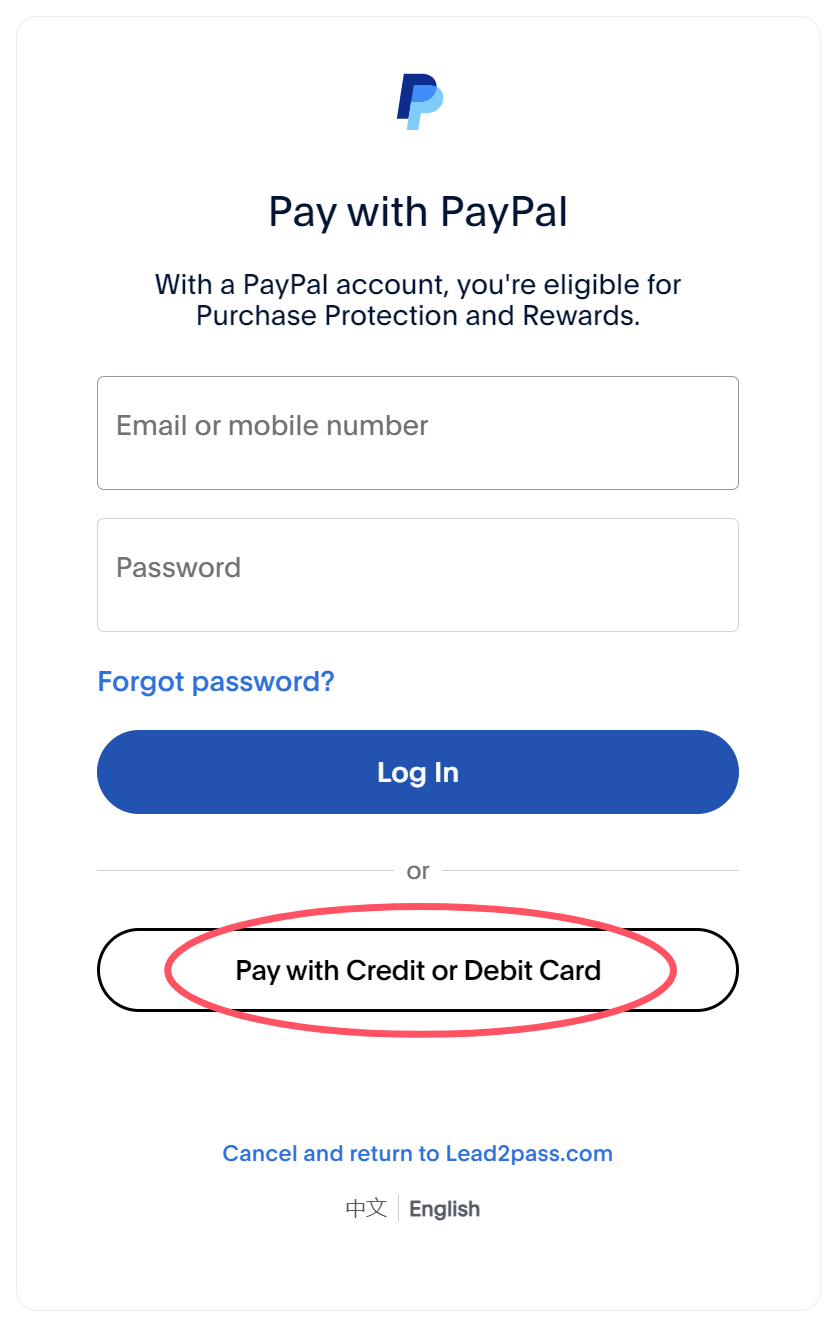
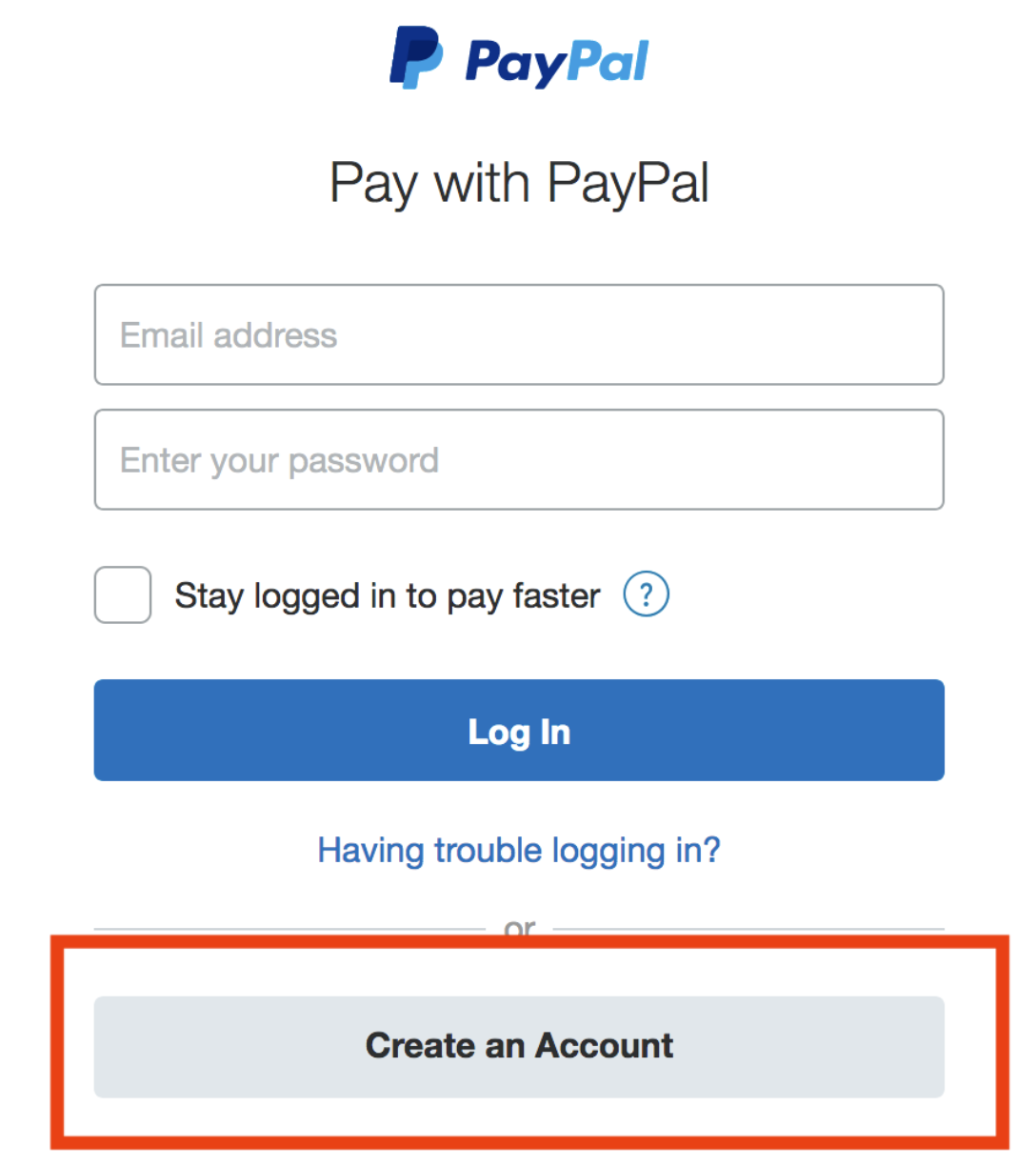
3. As PayPal is country specific, PayPal may limit the actions if the buyers are trying to pay with card, then you need to "Create an Account".
Then Pay with debit or credit card
4. If your payment on the PayPal page is successful, you will be automatically redirected to our website, where you will see the order payment success page. If not, it indicates that your payment has failed. Please try using a credit card for payment.
Note: If you see a PayPal transaction on your credit or debit card statement, but don't have a PayPal account, or can't find the transaction in your PayPal account, it's likely that your payment was completed through PayPal "Guest Checkout".
A guest checkout transaction happens when PayPal is used as the payment processor, but you weren't logged into your PayPal account at the time of the purchase.
You would also receive an email confirmation from PayPal to the email address used at checkout. Please log in to your PayPal account to check if your payment is pending or declined by your bank.
Pending Reason:
The guest checkout process is not intended for multiple uses and it will eventually be blocked if an account is not created. You will need to create a PayPal account in order to continue making payments.
Decline Reason:
Contact your card issuer or bank to find out why the payment from PayPal was declined. After they correct the problem, you may try to send money with your card again.
https://www.paypal.com/us/cshelp/article/why-was-my-card-payment-declined-by-the-card-issuer-help1079
Solutions:
1. Check the email address
If the email address you're using is already linked to a PayPal account, you won't be able to check out as a guest.
2. Create a PayPal account
You can create a PayPal account by clicking Activate PayPal Now in the email you received at the time of your purchase. Once your account is created, please log in to your PayPal account to complete the payment.
You may need to take further action to verify your PayPal account https://www.paypal.com/us/cshelp/article/how-do-i-verify-my-paypal-account-help434
Or you can contact PayPal customer service https://www.paypal.com/us/smarthelp/contact-us to confirm the further action that need to be taken.
Note: If PayPal does not work in your country, please contact us for another payment via online livechat or [email protected].
Step 6: Download the Exam Dumps
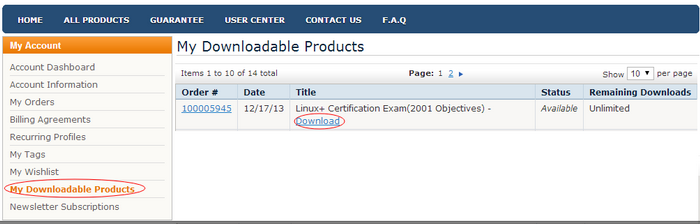
After you complete your payment, you can Instant Download your product from “My Downloadable Products” under your account center.
Below are our working time:
GMT+8: Monday- Saturday 8:00-18:00
GMT: Monday- Saturday 0:00-10:00
If any questions please feel free to contact us. Please be patient, we will give you satisfactory answers in 24 hours.